You think at 150 words a minute. You type at 40.
VoiceForge closes the gap. Press one key in any app, say the thing, and clean text lands at your cursor — punctuated, tidied, and ready to send. No window to switch to. No transcript to copy back. And no subscription: $79 once, then the AI runs on your own key for cents.
$79 one-time · yours forever · 30-day money-back guarantee
Talk to this page
Hold the button and say something. It gets cleaned up and dropped in, exactly like the app does at your cursor. This runs in your browser, nothing leaves the tab.
Ideas happen everywhere
In the car. On a walk. Between meetings. Your best thinking rarely happens at a keyboard.
Voice notes are a graveyard
You record a thought, then never listen to it again. Raw audio is hard to search, share, or act on.
Transcription alone falls short
Getting words on a screen is step one. What you actually need is something ready to use.
From thought to usable output
VoiceForge captures what you say and structures it into something you can paste, send, or build on.
Instant capture
One hotkey. Start talking. Your words hit the clipboard in under 2 seconds.
Auto-structured output
Raw speech gets cleaned, formatted, and structured. No manual editing.
Learns your voice
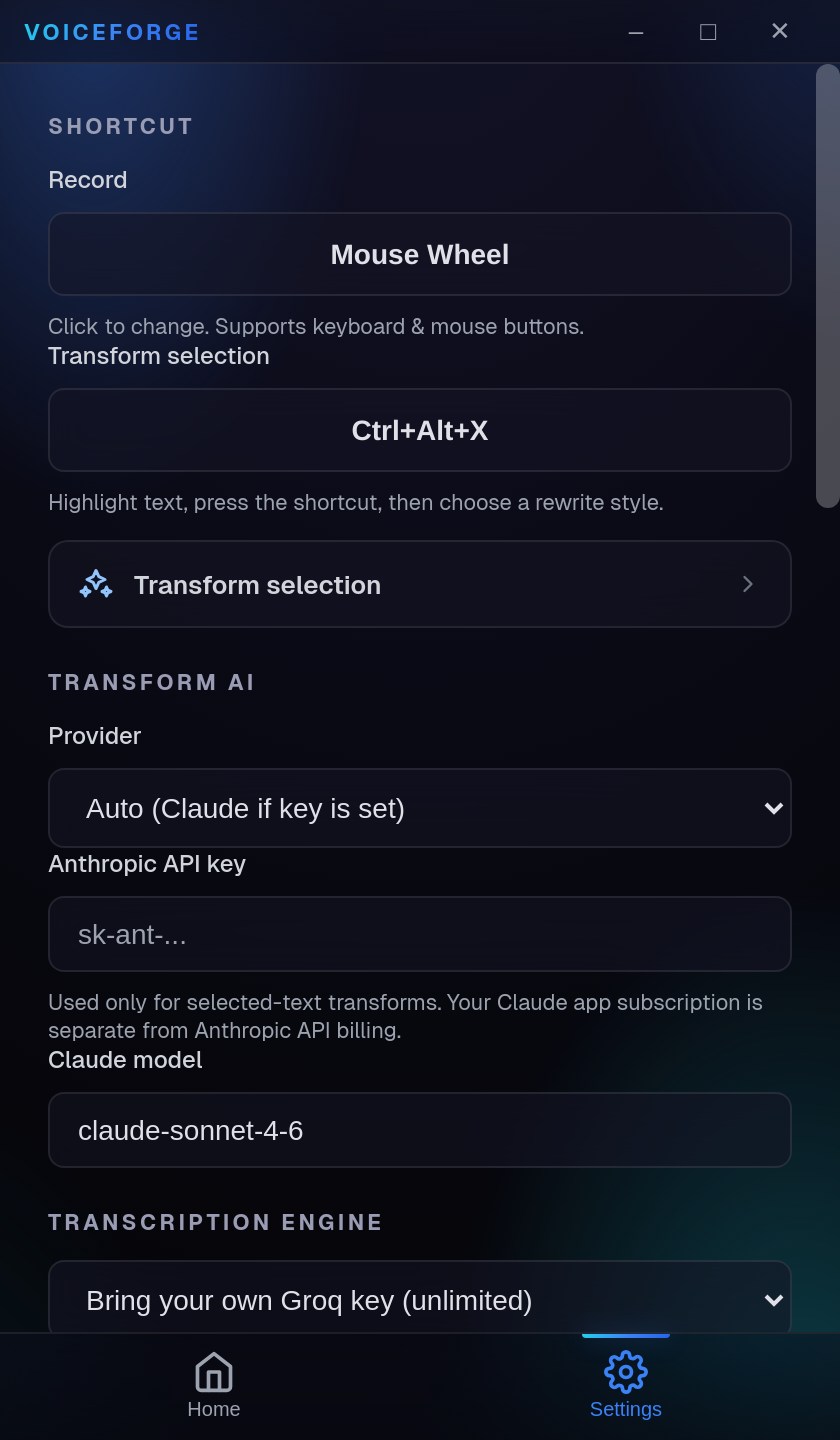
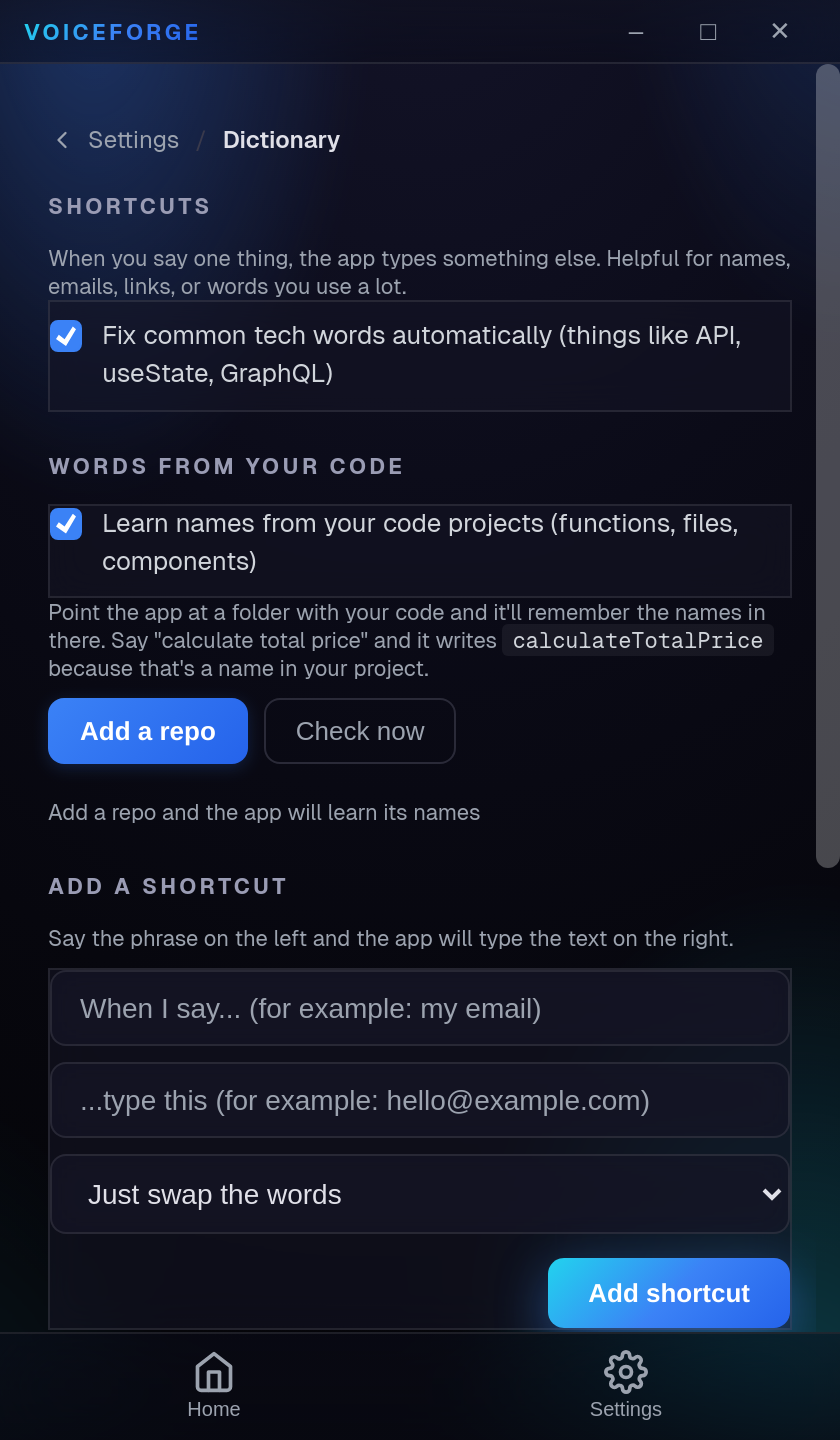
A personal voice profile builds over time. Names, jargon, and technical terms get recognized automatically.
Works offline
Local Whisper models for full privacy. Your audio never leaves your machine.
How it works
Press your hotkey
Global shortcut works in any app. You never leave what you're doing.
Speak naturally
Talk like you think. VoiceForge handles the rest.
Get clean output
AI transcribes, your voice profile corrects, and the dictionary auto-fixes terms.
Pasted where you were
Text lands in whatever app had focus. Under 2 seconds, end to end.
See it in action
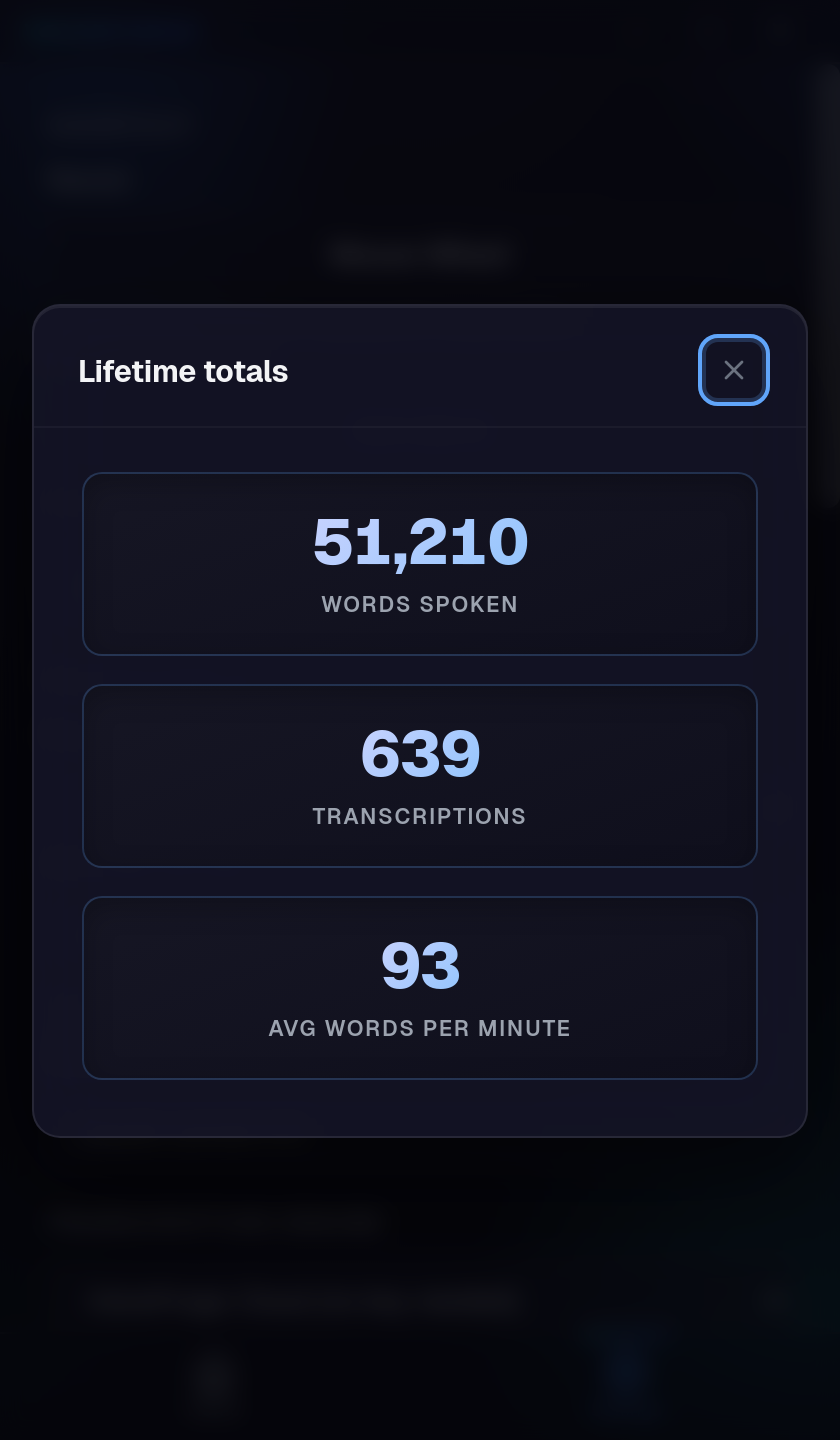
A compact panel that lives next to your work. One hotkey, live transcription, and every word cleaned up and ready to paste.



Not another transcription app
Most voice tools stop at raw text. VoiceForge starts there.
Dump raw transcription into a note you never open again
Structures your speech into clean, formatted, paste-ready output
Mangle your name, your project names, your technical terms
Learns your vocabulary over time and auto-corrects from your personal voice profile
Only work inside their own app or browser tab
Global hotkey pastes directly into whatever you're using. VS Code, Slack, Notion, anywhere.
Built for people who build things
Capture ideas between meetings
Voice-dump a product idea while walking to your next call. Get a structured brief in your clipboard by the time you sit down.
Dictate to your IDE
Speak code reviews, commit messages, and PR descriptions. Technical terms auto-correct. Pastes right into your editor.
Draft content by talking
Blog posts, tweets, newsletters. Talk through your ideas and get a clean first draft without the blank page.
Move faster on comms
Respond to Slack threads, write SOPs, document decisions. Speak it once, paste it done.
Not a recorder. Not a meeting bot. Not one more tab.
VoiceForge is the shortest path from a thought to clean text, right where your cursor already is.
Hold a key, talk, let go. It is pasted before your hands are back on the keyboard. No app to open, no transcript to copy, no notes graveyard to forget about. You speak in your own words and your tools fill with clean ones.
One price. Yours forever.
Pay once and own it: every feature, every future update, no recurring fees. Bring your own API key so the AI costs cents — and it's all backed by a 30-day money-back guarantee.
- Unlimited transcription
- AI Auto-Rewrite
- Voice profile learning
- Dictionary + auto-casing
- Global hotkey + auto-paste
- Bring your own API key (BYOK)
- Offline local mode
- All future updates included
- Priority support
- No subscription, ever
Why $79, and why make you get your own key?
Fair question, and here is the straight answer. Every other dictation app bills you monthly because it resells you the AI with a markup on top. That is the whole business model. It is also why the bill never stops.
We would rather sell you the tool once and hand you the wholesale connection. You paste in a Groq key, which is free to create, and from then on your transcription costs you cents that go to Groq instead of dollars a month that go to us. It is about a minute of setup, and it is the reason there is no subscription attached to this.
It also means your audio never comes near us. We are not in the middle of it, so there is nothing on our end to leak, sell, or train on. That is not a policy we are asking you to trust. It is just how it is wired.
Why your dictated text reads like a transcript
The 10 fixes, free. Almost nobody quits dictation because the transcription was wrong. They quit because it read like a person talking and they had to rewrite it anyway. That is a fixable skill, and this is how.
You will also be first on the list for the managed tier, which needs no API key. No other email, ever.
Your key. Your machine. Do the math.
VoiceForge sends your audio straight to your own AI provider with your own key. The AI itself costs cents, and we never see a word of it.
What the AI actually costs you
Transcription billed by your provider, never by us.
paid to your provider · $0.00 to VoiceForge
Estimate at current Groq whisper-large-v3 rates ($0.111/hr), about 130 words per minute, 22 days a month. Cleanup adds a few cents. Your real bill depends on your provider.
Built for builders, founders, and operators who think faster than they type.
Questions, answered
Everything worth knowing before you buy.
Do I need an API key?
Yes. VoiceForge is bring-your-own-key: you paste in your own Groq API key (the free tier is plenty to get started), so you stay in control of your usage and cost. Setup takes about a minute, and we walk you through it right after you sign up.
Is my audio and text private?
Your audio goes straight from your machine to the provider you chose, on your own API key. It never touches a VoiceForge server. We could not read your recordings or your transcripts if we wanted to, because they never reach us, and your transcripts stay on your own disk.
Which platforms are supported?
macOS (both Apple Silicon and Intel), Windows, and Linux (AppImage and .deb). One purchase covers every device you use.
How does pricing work?
VoiceForge is a single one-time purchase: $79, yours forever. Every feature and all future updates are included, with no recurring fees. It's bring-your-own-key, so the AI itself costs cents and you pay your provider directly.
What if it's not for me?
Every purchase is backed by a 30-day money-back guarantee. Email us within 30 days and we'll refund you in full, no questions asked.
Stop losing ideas.
Start forging them.
You think faster than you type. VoiceForge closes the gap.